
✅ 85% Promo Code: https://jamestutorials.com/filmora-85OFF
There is a need for high-quality software for video-based editing nowadays, especially with the increasing popularity of video-based entertainment and marketing. From content creators to professional business officials, all require professional-level video editing tools for the work, but at high costs.
Are you looking for a better, less expensive, and advanced video editor for PC that provides professional-quality edits at reasonable costs? Wondershare Filmora is a suitable video editor, with multiple advanced functions, stunning visuals, and an easy-to-use interface. For more details, read everything we learned while testing this software.
What is Filmora?
Wondershare Filmora is one of the best software available to edit videos, adding a wide range of advanced features to optimize video quality. Users can add effects and filters and change the background sounds easy. In addition, adjusting video and audio levels, adding animation, and TTS/STT benefits are available here.
With Filmora video editor, the conversion process, whether using custom tools or an automated AI algorithm, is simple. Get the final file in a format of your choice here.
Pros:
- Easy-to-use interface and Instant Mode for beginners.
- Access to Stock Media from Giphy, Pexel, Unsplash, and Pixabay.
- A rich libraray of effects and plug-ins, like Filmstock, Boris FX and NewBlue FX
- The standard video editing functions like rotating, trimming, and merging.
- Edit audio clips and quality, and add audio to video files.
- Make color adjustments like enhancing vibrancy.
- Lower or increase speed quickly.
- Text-to-speech support with 5,000 characters.
Cons:
- The ‘For Business‘ plan can only include five members.
- Watermark removal only works for paid users.
- Trial plan users cannot use advanced functions like Speed Ramping or Keyframing.
✅ 85% Promo Code: https://jamestutorials.com/filmora-85OFF
Key Features of Filmora
To further understand how Wondershare Filmora works, we focused mainly on testing the features it includes. Here is what we found.
Layout/User Interface
With this video editor, users can expect a high-quality and highly user-friendly interface. In addition, advanced features of Filmora like AI Portrait, Instant Mode, and Auto Beat Syn are available directly on the main interface.
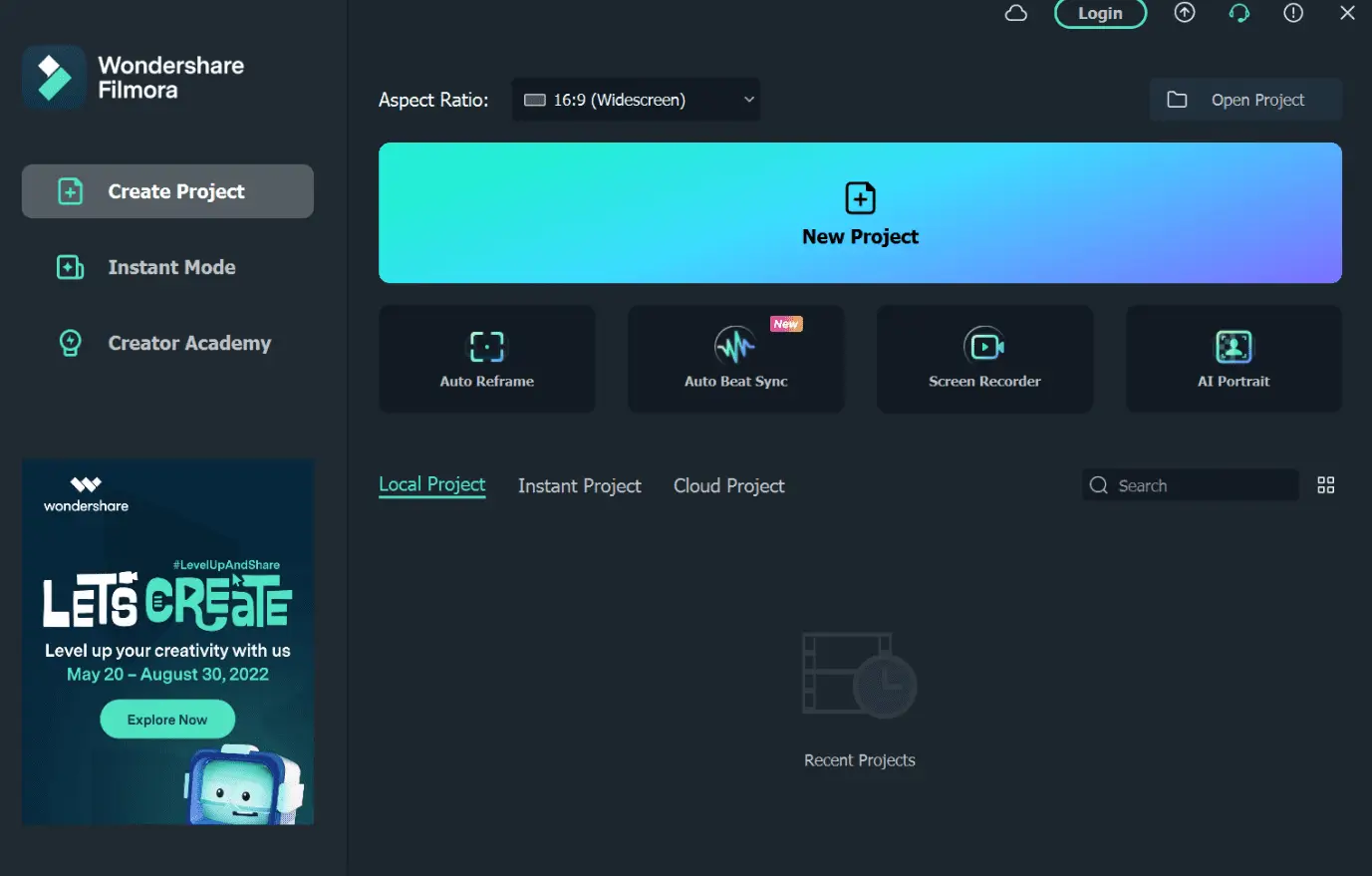
This software allows a drag-and-drop functionality on the main editor, where users can insert files in this method or by clicking the required button on the screen. For example, you can drag it to the editor timeline below and add elements like audio files, stickers, and effects this way.
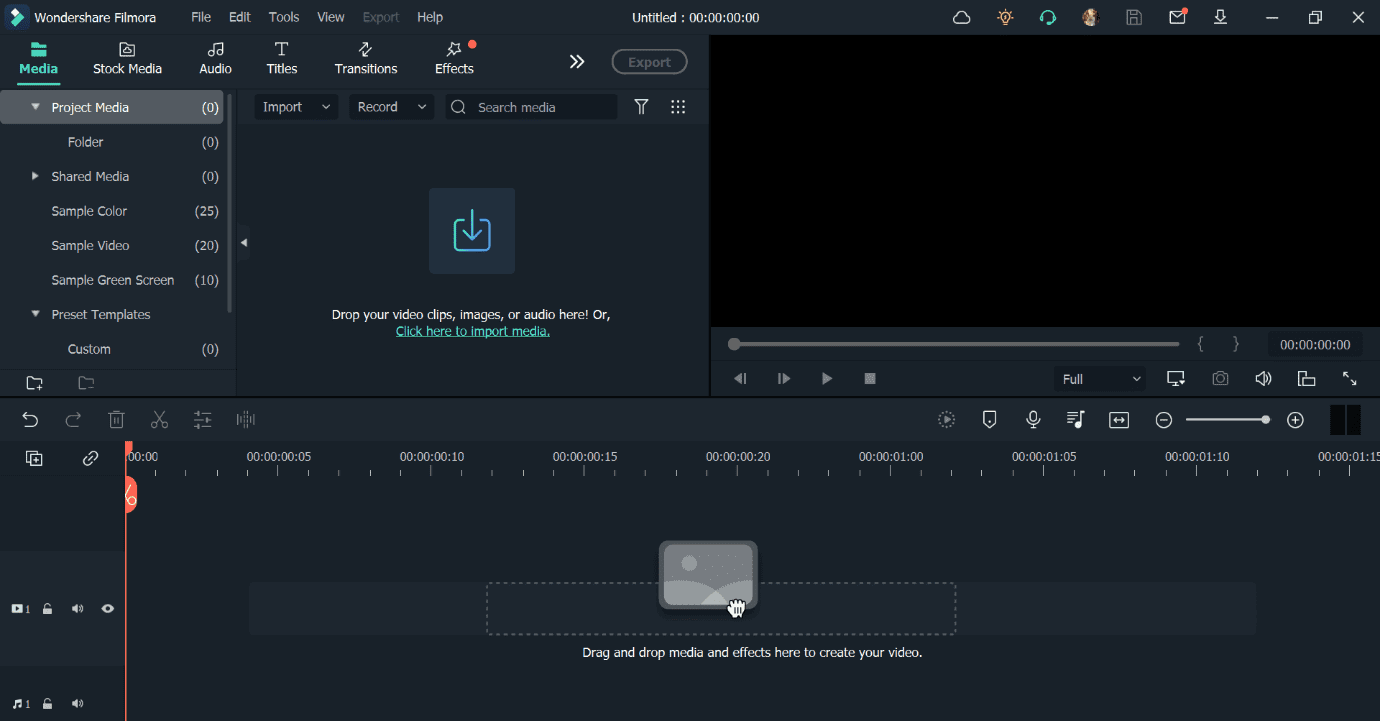
Left-click on the clip(s) you add to get a list of all available editing functions. Tabs for Audio, Transition, Subtitles, etc., are available at the top of the screen. After adding the video file, you would see the editing icons like Motion Tracking, Chroma Key, etc., just above the video timeline section.
Stock Media
Users can find a massive library of stock media in this Mac and Windows video editor to insert into their video projects. The support FX plugins here, besides FilmStock, are Open Fx, NewBlue FX, and Boris FX. In addition, pre-set images, videos, and GIFs are available from connected service providers like Pexels, Pixabay, and Giphy.
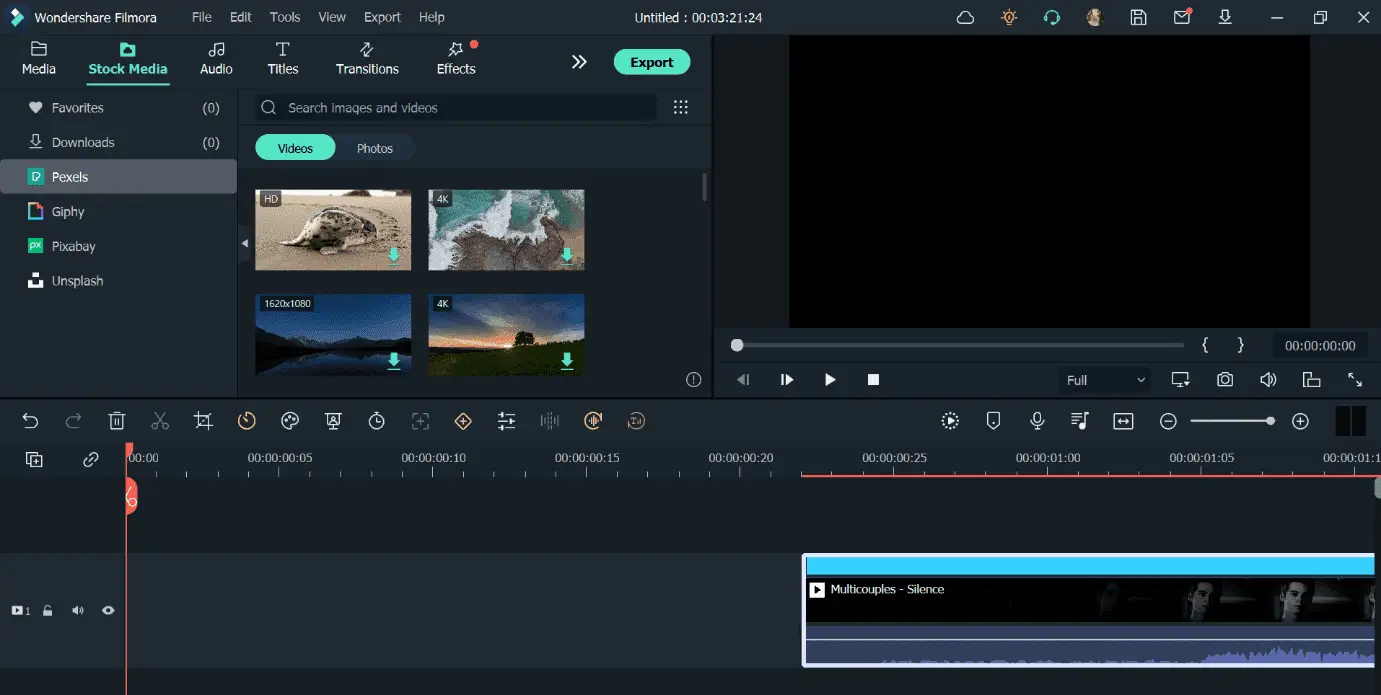
There are pre-set media in audio and text forms as well, the latter for subtitles. Plus, you can edit the text of the subtitle, the placement, and the title effects.
Audio Editing
While using Filmora, users can expect a wide range of audio editing functions. There are pre-set editing options here, like Audio Ducking and Audio Visualization.
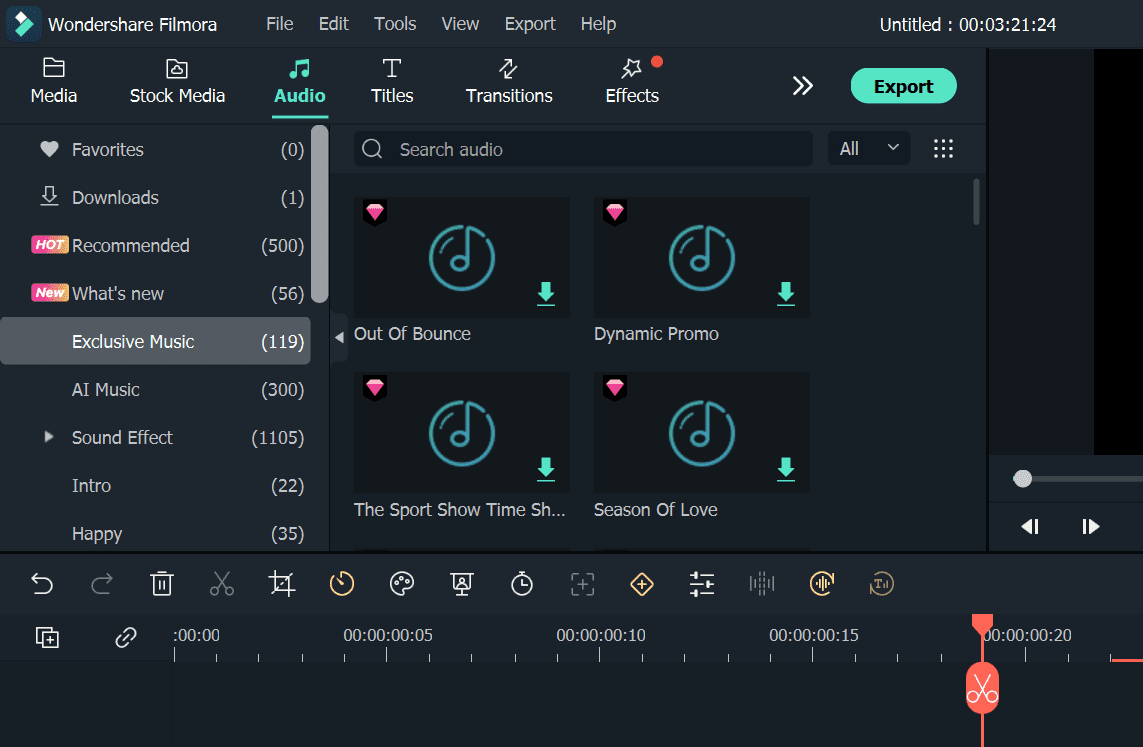
The software also supports audio-to-text converter benefits to create captions for the videos from speech. Similar to the in-built Speech-to-Text function, one can activate the Text-to-Speech effect to add voiceovers from scripts here.
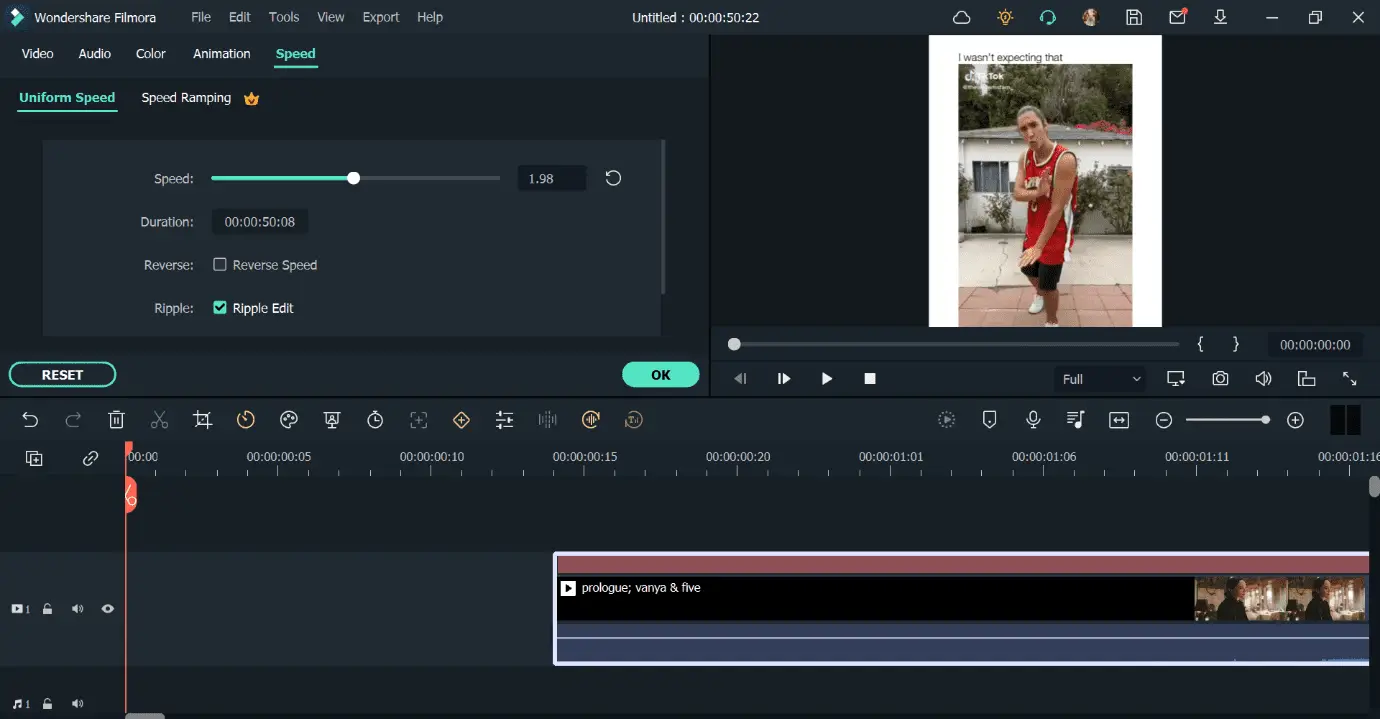
Speed Ramping
This advanced feature on the video editor effectively controls the video’s overall speed in parts. You can select the specific sections of the video and use the slider to increase or decrease the speed, from super-fast to snail-like pace.
AI Portrait
With this AI-powered editing feature, you can add AR stickers and pre-set effects to video projects. Notably, the AI Portrait can easily detect the faces and bodies of human beings in images/clips and remove everything behind the character.
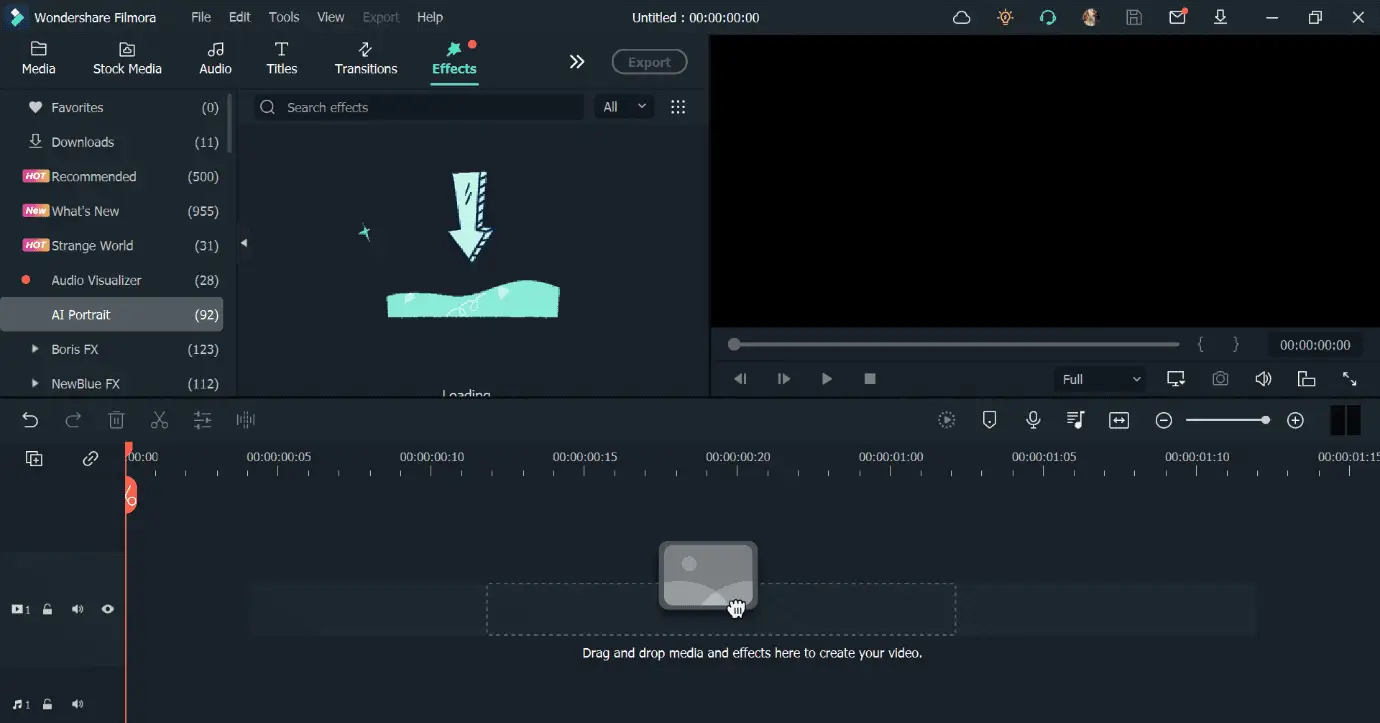
It is simple to use one click to add effects to the character on screen/human portrait for optimized video quality.
Green Screen
Users can easily remove background from video using Filmora. The software automatically detects the main object/character and puts a green screen chroma key-based effect for changing the background.
Instant Mode
With this advanced feature, the video editor directly handles the editing function completely.
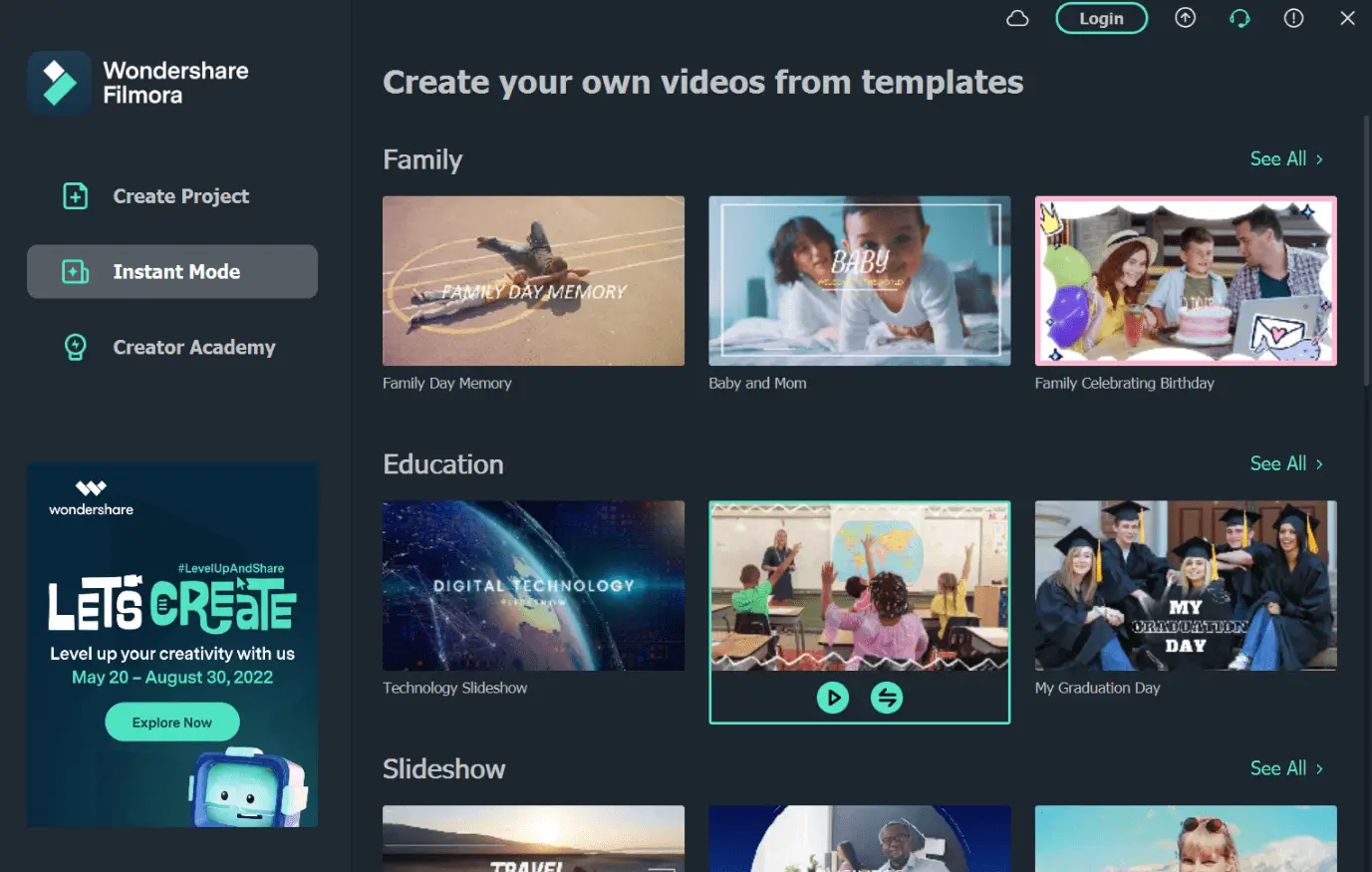
Add the media file you are editing into the Instant Mode from the software dashboard/home screen. There are pre-set templates available for theme-based editing. The software detects and changes the whole video instantly and delivers in a few seconds/minutes.
Masking/Blending
Around 18 different Blending modes are available under Filmora to add to the project after you crop videos and merge them. Examples include the Multiply function for reducing overexposure, Darken to exchange clips in scenes, and Linear Dodge for pixel removal.
You can use the masking mode to layer clips for keyframing, sync images, control opacity, and more.
Audio Synchronization
With this advanced function, it is possible to align video and audio clips from different clips together. The software’s algorithm detects and combines the two into one scene cohesively.
Add the clip of the main speaking person and audio clip from another file/lapel microphone recording. Then, the software instantly matches both and combines them.
✅ 85% Promo Code: https://jamestutorials.com/filmora-85OFF
Pricing Plans: Should You Buy It?
Before availing of the paid services, you can enjoy a free trial. The basic features are available for usage then, except for advanced ones like Speed Ramping and 4K output. Also, you cannot move Instant mode-based projects to the editor timeline.
Individual users can opt for one out of three time-based pricing plans with Filmora video editing functions, stock library, and FX plugins.
- Annual Plan (per year)- USD 49.99
- Perpetual Plan (one-time payment)- USD 79.99
The Perpetual Plan is the complete software version one can buy in one go. However, to get an upgraded version, one must buy a new Perpetual Plan since it does not include automated feature updates.
Businesses can charge custom pricing for their plan by opting for the Team-based plan. Schools/institutions can choose either the custom-priced Educator plan (with 20 users) or the “For Students” plans from USD 19.99/month.
One can opt for Bundles as well.
Overall, the cost of most of the plans is reasonable for both beginners and professional editors. Moreover, considering the quality of the services, the pricing plans are suitable compared to many other competitors.
✅ 85% Promo Code: https://jamestutorials.com/filmora-85OFF
System Requirements:
The following are the primary system-based specifications for installing the software.
- OS Compatibility: Windows 11 (64-bit)/10/8.1/7, macOS 10.14/10.15/11/12
- RAM: 4 GB RAM standard; 8 GB RAM for 4K/HD video editing (Windows).
- 8 GB RAM standard; 16 GB RAM for 4K/HD video editing (Mac).
- Disk Space: 10 GB of disk space should be available to install; SSD needed for 4K/HD video editing.
- Supported Video Formats (Input): MPG, MP4, 3GP, 3GP2, 3G2, M2V, M1V, MPEG, MOV, MTS, F4V, FLV, AVI, MKV, WEBM, VOB, OGV, etc.
- Supported Video Formats (Output): MP4/MKV/MOV (Standard/HD), AVI, TS, 3GP, GIF, WEBM, MP3, WMV, F4V, MPG, ProRes (Mac only), M4V HD (Mac only), etc.
- Internet Connection: Necessary.
Final Verdict
Filmora is a high-quality video editing tool for professional editors and beginners. It includes a straightforward editor interface with drag-and-drop functions, a comprehensive list of stock media, and advanced functions like Chroma key, AI Portrait, and more. While the cost to use the best features can get high, the quality of usage and performance make up for it.
✅ 85% Promo Code: https://jamestutorials.com/filmora-85OFF